
Find out what makes your framed TV dim, go dark, or wake up, and what to check the next time it happens.
Start with what the TV was showing
A Samsung Frame TV can dim its artwork as room lighting changes. It can also stop displaying art in a dark room or after a period without detected movement, depending on its settings. The first thing to check is whether the screen changed while it was showing art or while you were watching TV.
Art Mode is the TV setting that displays a still image between viewing sessions. On compatible models using Samsung’s OneRemote, a brief press of Power switches between TV viewing and Art Mode. Holding Power turns the TV off. The controls Gamma programmed for your installation may offer separate commands for those actions. We can walk you through the controls for your exact setup. Samsung’s guide to Art Mode covers the manufacturer’s controls and settings.
Separate brightness from the decision to go dark
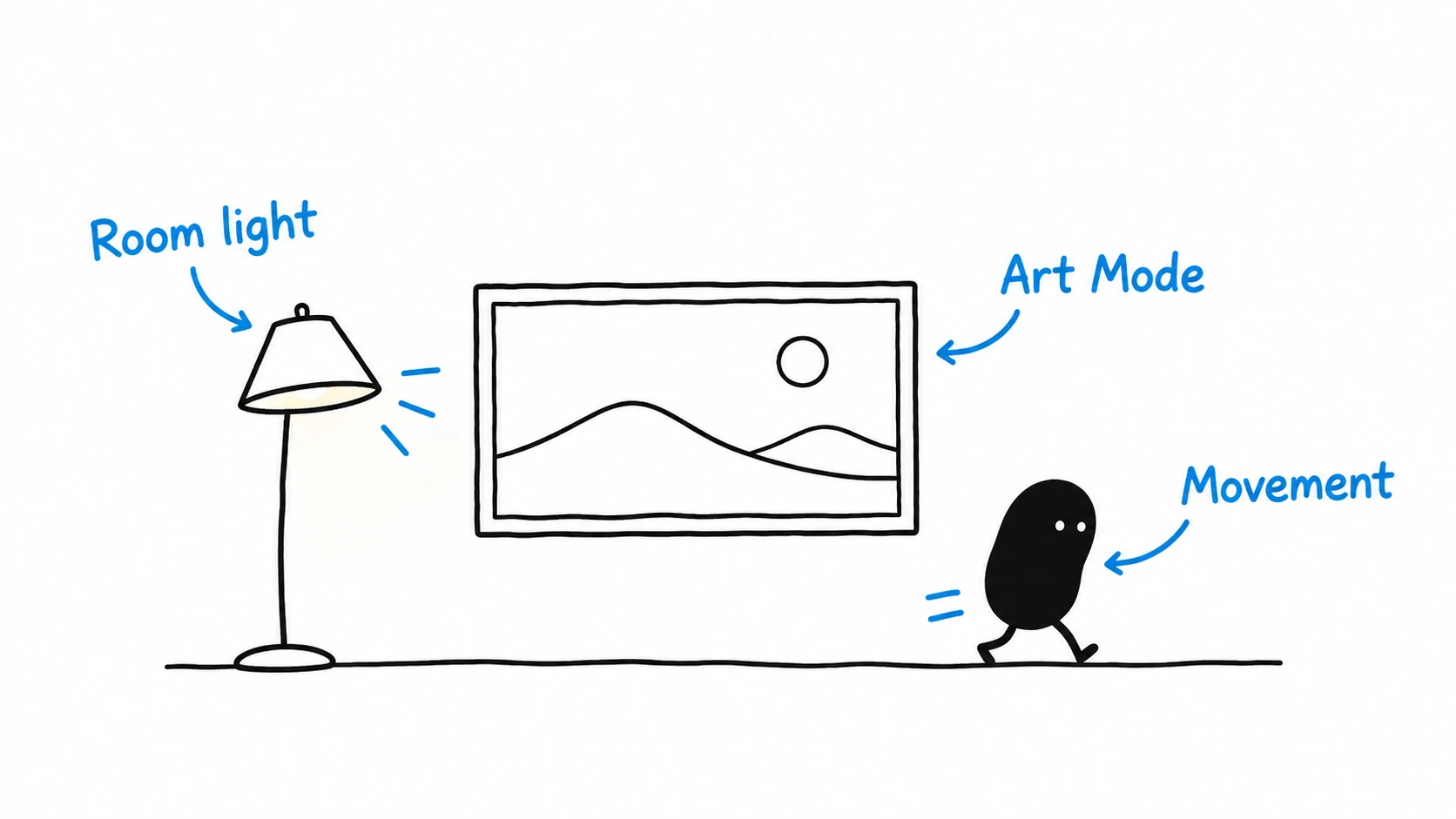
The brightness sensor responds to the light around the display. A change in lighting can make the same artwork look different over the course of the day. Give your eyes a moment to adjust after you change the lamps or shades, then judge the result from your usual seat. Samsung’s overview of The Frame’s display and brightness sensor explains the automatic adjustment.
Night Mode uses room light to decide whether Art Mode should keep showing the image. Sleep After uses a period without detected movement. A person reading quietly and an empty room can both have very little movement for the sensor to pick up. On models with motion detection enabled, movement can bring the art back after it sleeps. Check which setting is active before adjusting the timing. Samsung’s troubleshooting guide for art that disappears describes the two settings.
| What you notice | What to check first |
|---|---|
| The artwork stays visible and looks dimmer around dusk. | Compare how the same art looks with the room’s usual lights on and off. The TV may be adjusting brightness. |
| The artwork goes dark shortly after you turn the lamps off. | Check whether Night Mode is enabled. |
| The artwork goes dark after a quiet stretch while the room is still lit. | Check the Sleep After setting and how much movement the TV could detect. |
| The TV goes dark after you use a remote or wall control. | Confirm what that button is set to do. Note whether you were using the Samsung remote or Gamma’s programmed control. |
Observe one change at a time
Start with a piece of art and leave the TV in Art Mode. Change the room lighting through your normal controls and note whether the image dims or disappears. On a separate occasion, keep the lights steady and note how long the image stays visible while the room is still. The two observations give Gamma more to work with than a report that the TV sometimes turns off.
Samsung recommends keeping the front sensor clear. Check from the floor for anything in front of it, such as a holiday decoration. Leave the trim and mounted equipment in place. Features and menu names vary by model and software, so use the controls shown at your demonstration or contact Gamma if you are unsure. Samsung’s Art Mode sensor and settings guidance covers the conditions that affect response.
Choose art you enjoy in your room
Try one image during the day and again with your usual evening lights. A bright image can draw your eye after dark, so it helps to compare two pieces from where you normally sit. Samsung documents how to display your own photos using SmartThings or USB on supported setups. The Art Store offers a paid collection for households that want it. Samsung’s guide to choosing and adding artwork explains both options.
For a hypothetical living room used for conversation after dinner, the household may want art to stay visible with a lamp on and the TV to go fully off at bedtime. Gamma can demonstrate both actions with the home's controls and review the TV settings that affect how long the art remains visible. An evening scene may also change the lights. We can check how the display responds as part of that room scene.
Get help with your installed controls
Gamma designs, supplies, installs, configures, and demonstrates the complete residential AV system. We check compatibility across the components we supply. During handoff, we can show how to choose artwork, return to TV viewing, and turn the display off using the supplied controls. Our broader guide to art displays and concealed TVs explains the room and installation choices behind those controls.
Contact Gamma Tech if the display behaves differently from the demonstration. Tell us which room it’s in, what the display was showing, and what changed just before the screen responded. Mention the remote or button you used so we can check the behavior of that exact installation.