
Protect business logins with JumpCloud and passkeys. Gamma Tech checks compatibility, sets up the agreed protection, and plans recovery with your team.
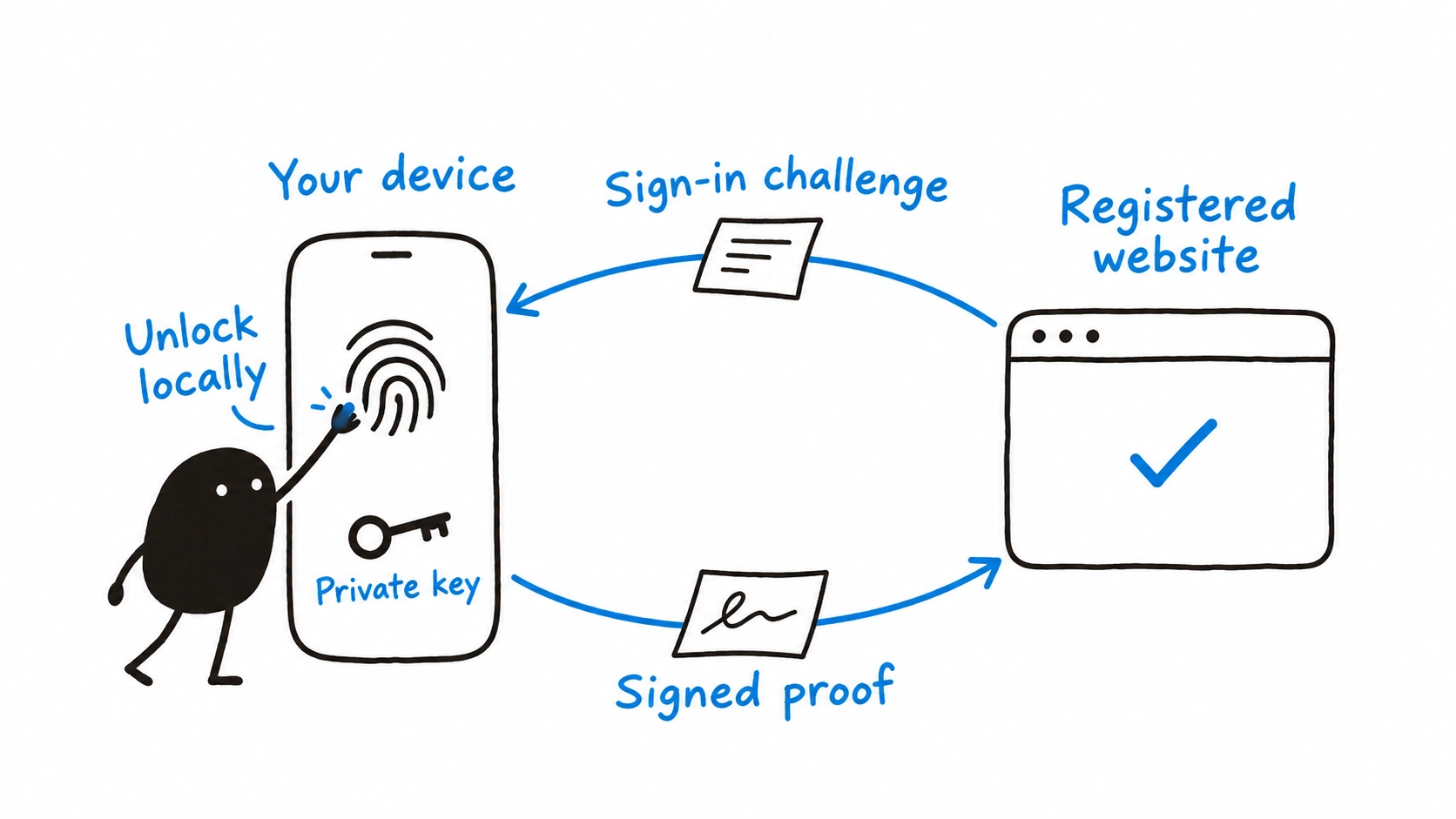
A stolen business login can expose email, interrupt staff, and give a scammer a way into trusted conversations. Passkeys help protect against fake sign-in pages because each credential works with its registered website or application. A practical change starts with your accounts and devices, along with a plan for someone who loses a phone.
Gamma Tech uses JumpCloud for passkeys, and we recommend it as part of a properly planned business sign-in setup. We assess the accounts and devices, configure agreed protection, and help your staff use it. Our cybersecurity services bring the technical setup and staff guidance together, with a support route your team already knows.
How a passkey protects a sign-in
A passkey is a sign-in credential you approve through a device, commonly with a fingerprint, face recognition, or PIN. The device uses a private key to produce a signed response to the website’s sign-in request. The website checks that proof, while the device-unlock information stays local.
Each credential belongs to its registered service, which helps protect against imitation sign-in pages. Some passkeys stay on one device or security key, while others sync through a credential provider. The FIDO Alliance’s explanation of passkeys covers these differences. Gamma Tech checks which approach the chosen JumpCloud method supports before planning enrollment or recovery.
How we use JumpCloud for business sign-ins
JumpCloud helps manage access to work accounts and connected applications. Its WebAuthn/passkey MFA guidance describes protection for the User Portal, connected single sign-on applications, and certain password changes. Multi-factor authentication, or MFA, means using more than one form of proof to sign in.
JumpCloud’s documented WebAuthn sign-in uses a password plus a security key or device authenticator, such as supported Touch ID or Windows Hello. Browser and device requirements affect which options work. Gamma Tech checks those requirements and configures the agreed method, so your staff know what to expect at the sign-in screen.
JumpCloud Go is a separate, device-bound passwordless option for access protected by JumpCloud. After initial registration, users can verify themselves through their managed device. Its desktop setup requires supported hardware, the JumpCloud agent, and a supported browser extension. Gamma Tech reviews whether this option fits your environment and prepares the setup where agreed.
| JumpCloud option | What staff experience | What Gamma Tech checks |
|---|---|---|
| WebAuthn/passkey MFA | Password plus a supported security key or device authenticator | Enrollment, browser support, and the resources covered |
| JumpCloud Go | Passwordless verification through a supported, registered managed device | Hardware, managed account, browser extension, and access policies |
| Connected business applications | Access through the configured work sign-in route | Each application’s integration, device behavior, and remaining sign-in requirements |
Connect the protection to the applications staff use
Single sign-on lets staff use a central work sign-in to reach connected applications. JumpCloud documents a Microsoft 365 single sign-on integration, so a business can use JumpCloud in the sign-in path for its Microsoft 365 accounts. The connection requires deliberate configuration, and the selected authentication methods must meet the application’s requirements.
Gamma Tech reviews Outlook, Teams, phones, shared workstations, and the other applications in scope before changing access. We check the actual sign-in routes and explain which protection applies to each. Our managed IT services provide the wider support for your computers, accounts, and email environment.
Start with a small group and check daily work
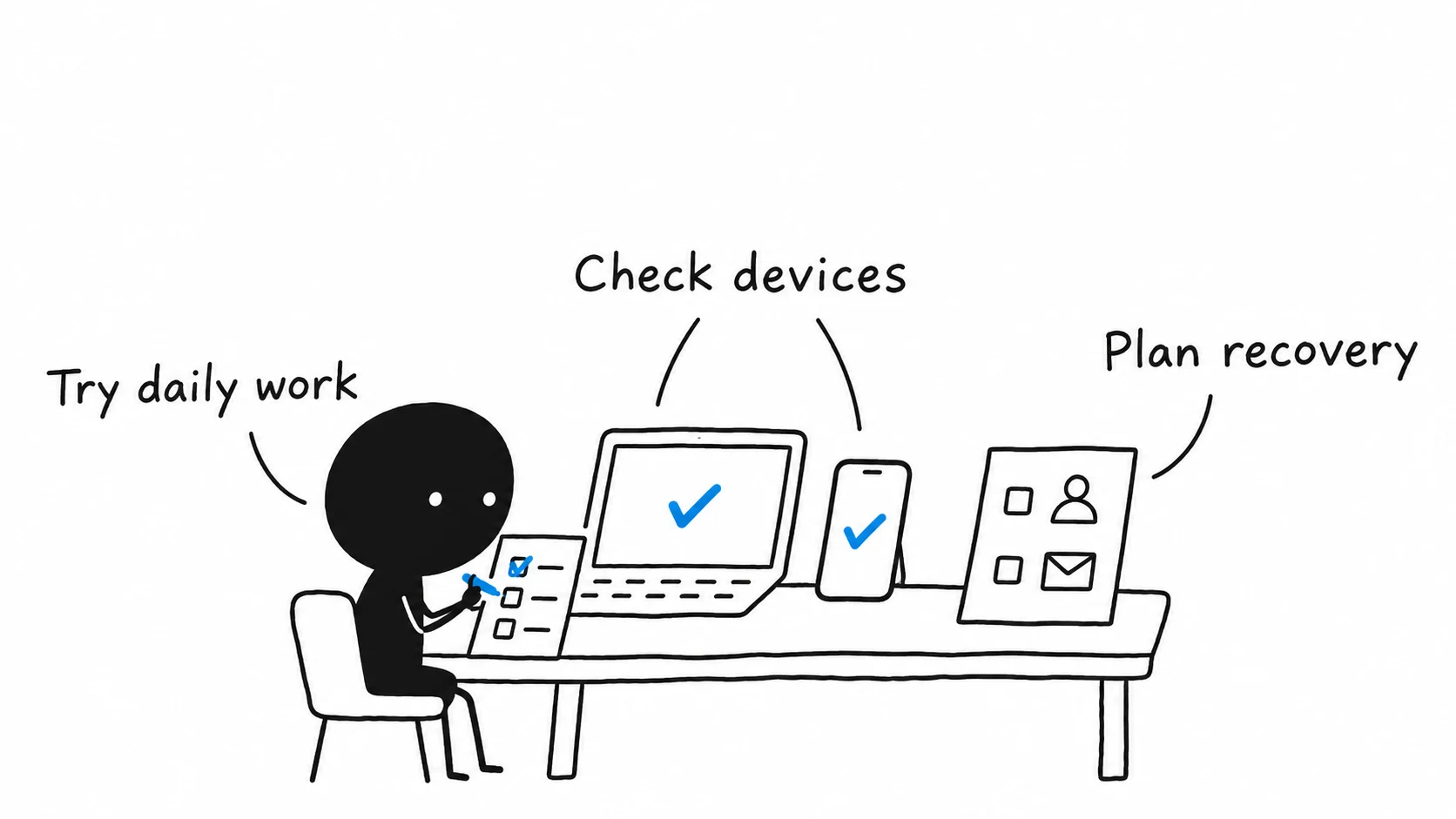
A pilot lets a few staff members try the agreed setup before a wider change. Include the devices and work patterns you need to support. Gamma Tech can configure the pilot, help with enrollment, and check the results with staff before extending the change.
The checks should cover normal applications, shared computers where relevant, and a supported alternate sign-in method. JumpCloud’s guide to using JumpCloud Go explains registration and verification requirements. Device and browser support can change, so we check the current requirements against your actual equipment.
Plan recovery before someone replaces a device
A hypothetical planning example: an employee replaces a phone or laptop and needs to sign in on Monday morning. The plan should establish an approved alternate method and a support route for verifying their identity. Gamma Tech helps prepare that process before the change, within the agreed service.
The recovery process depends on the selected JumpCloud method and the devices involved. We review who can authorize recovery, how replacement equipment is enrolled, and which alternate methods remain permitted. A planned support process helps reduce disruption while protecting access to business accounts.
Keep enrollment requests on a trusted support route
Staff should know how a planned change will be communicated and how to check an unexpected request. Microsoft has documented attackers posing as IT support and using supposed passkey updates to lead people into fraudulent sign-in approvals. Its research on passkey-themed impersonation describes this risk.
Verify unexpected enrollment or approval requests through your established support contact, and continue the device protection and reporting practices in your security plan. Gamma Tech can explain the planned change to staff and help them recognize a request that needs checking.
Download the business sign-in planning sheet to prepare a discussion with Gamma Tech. Keep the completed sheet inside your business and leave passwords, recovery codes, and personal information out.
- Identify the business accounts and staff groups to review.
- List the devices, shared workstations, and applications they use.
- Agree on a small pilot and a convenient support window.
- Confirm approved alternate methods and lost-device recovery.
- Review the results and any limits before a wider change.
Contact Gamma Tech to review JumpCloud and passkey protection for your business. We can explain the fit, carry out agreed technical changes, and help your staff use the chosen approach.