One assistant per person
Each employee gets their own assistant running on a company computer: an office PC or Mac, or a company virtual machine. One computer runs one person’s assistant, and their conversations stay on that computer.

Gamma Bot · Coming soon
An executive assistant for every employee, set up and run by Gamma Tech.
Gamma Bot gives each person on your team their own AI assistant for email, calendar, calls, meetings and everyday follow-through. It runs on your company’s own computer with your company’s own AI subscription, and it works only within the permissions and rules your owners and managers set.
Coming soon. Join the waitlist and we’ll reach out when it’s ready for your company.
What it is
Gamma Tech installs, monitors and supports every assistant, the same way we manage your IT.
Each employee gets their own assistant running on a company computer: an office PC or Mac, or a company virtual machine. One computer runs one person’s assistant, and their conversations stay on that computer.
The assistant uses your company’s own AI subscription: Claude, ChatGPT, MiniMax or GLM. Each assistant signs in to that subscription on its own computer.
It works with Microsoft 365 email and calendar from its own mailbox, uses 1Password for the logins it’s allowed to use, and looks people up in your Microsoft, iCloud or Google contacts.
Our team sets it up with each employee, keeps it updated, watches its health and supports your people when they need help.
How it works
We prepare an office computer or a company virtual machine for each assistant and connect your Microsoft 365, AI subscription and 1Password vault.
You decide reporting lines, what each role is allowed to do, your business rules and procedures, and the company knowledge assistants can use.
Each employee sits down with Gamma Tech for a short setup: their preferences, their permissions within their role, and practice runs of your procedures before the assistant switches on.
The employee installs the Gamma Bot app on iPhone, iPad, Mac or Windows and pairs it by scanning a one-time QR code on the company computer. Messages between the app and the assistant are encrypted end to end through Gamma’s relay.
Employees ask in the app or by email from their work address. Anything involving money or sensitive changes comes back to them as an approval card first.
Features
Every feature works within the permissions your company sets for each role.
Triages the inbox, drafts and sends replies from its own mailbox, and files messages when permitted.
Places holds on calendars and keeps private meeting notes in a linked note only the employee sees.
Its own phone number for texts and calls, with a voice the employee chooses, plus voicemail and message taking.
Notes from Zoom, Google Meet and Microsoft Teams meetings, and from in-person conversations captured in the app.
Creates and edits Word, Excel and PDF documents and attaches them to email.
Works in its own browser on the company computer and hands the screen over to the person whenever they need to step in.
Alarms that ring until acknowledged, plus reminders tied to a place.
Writes a message now and sends it at the time the employee chooses.
Looks people up in Microsoft, iCloud and Google contacts the employee connects.
Money and anything sensitive waits for an approval card in the app before it happens.
Owners set monthly usage limits for the company and for each assistant.
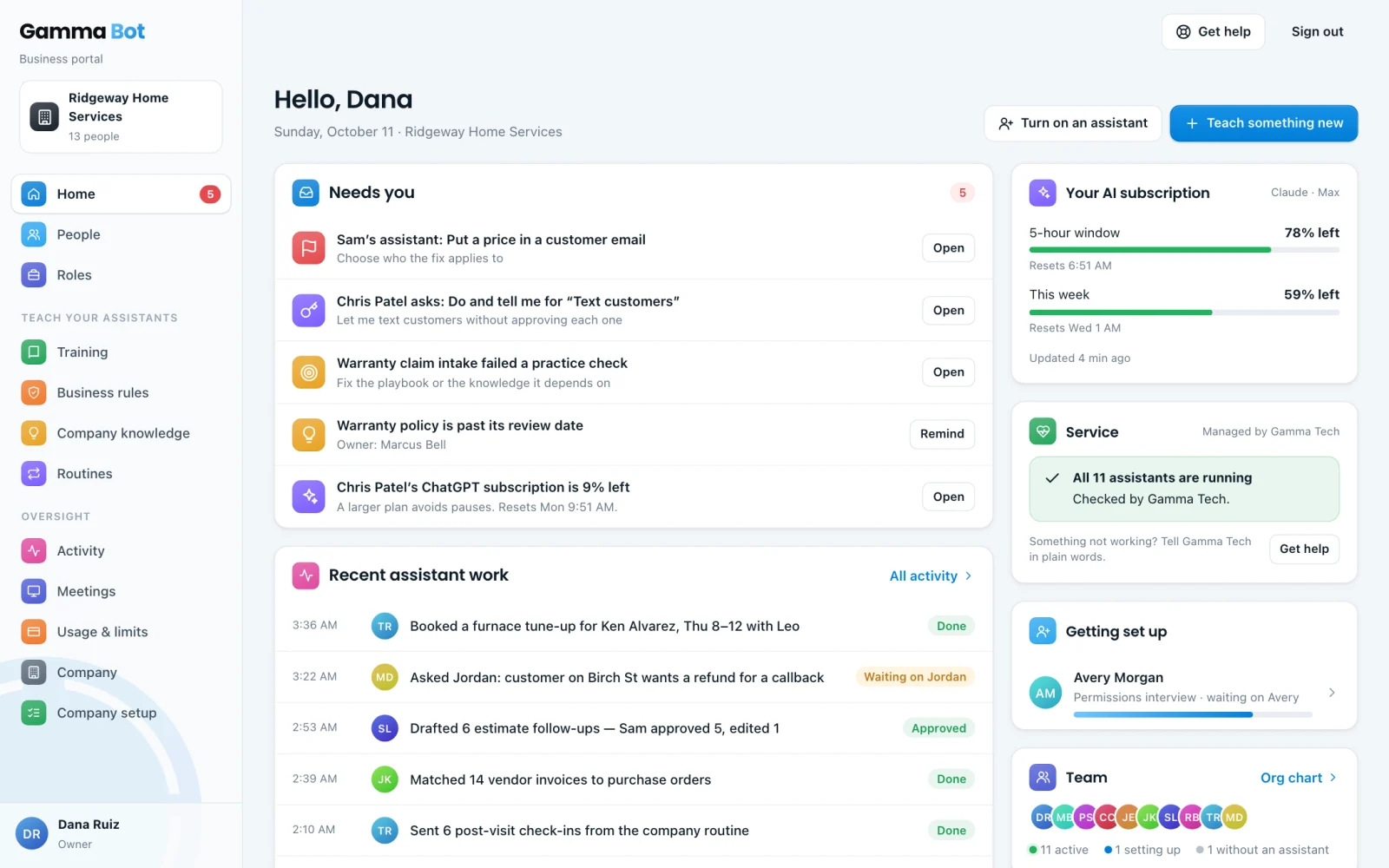
Shows how much of the AI subscription is left, so nobody runs out mid-task.
A plain-language status of every assistant and the services it relies on.
Printed recovery kits let your owners regain control of the company account safely.
Trust and control
Managers can direct and review the assistants of people who report to them. Employees are told about this during setup.
Each action the assistant takes is logged with who asked, what happened and the result.
Messages, files and payments go out only when the person’s permissions allow it, and sensitive actions wait for approval.
Conversations, files and email content stay on the company computer. Call transcripts are shared with Gamma Tech only if your company opts in.
Coming soon
Gamma Bot is coming soon. Tell us a little about your company and we’ll reach out when it’s ready for you.
(239) 330-4939